
How to Block a Lost Mobile Phone in Saudi Arabia?
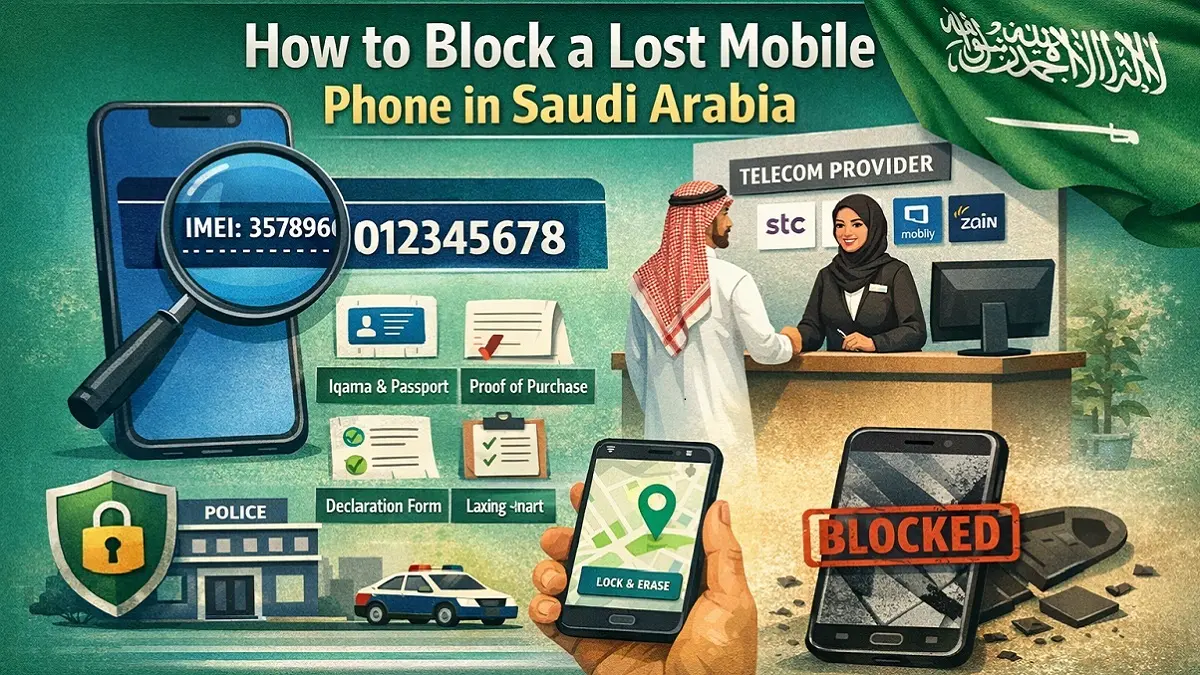
Losing a mobile phone in Saudi Arabia can quickly become a serious security concern. Modern smartphones store banking apps, government accounts, emails, private photos, and sensitive personal data. If a lost device falls into the wrong hands, the consequences may go far beyond the cost of replacing the phone itself. Fortunately, Saudi Arabia has a well-organized telecom infrastructure that allows users to block stolen or lost mobile phone using the IMEI number. Mobile operators such as STC, Mobily, and Zain maintain equipment identity registers that can disable a phone across their networks once it is reported.
To block a lost mobile phone in Saudi Arabia, visit the telecom provider whose SIM card was last used in the device (STC, Mobily, or Zain). Provide the phone’s IMEI number, proof of ownership, Iqama copy, and passport. After signing a declaration form, the provider blacklists the IMEI, making the phone unusable on mobile networks.
In this detailed guide, we explain the complete process of blocking a lost mobile phone in Saudi Arabia. We cover IMEI numbers, required documents, telecom provider procedures, SIM blocking, recovery options, tracking tools, and preventive security practices to protect your data and device.
Understanding the IMEI Number and Why It Is Critical
Every mobile phone in the world contains a unique identity number known as the IMEI (International Mobile Equipment Identity). This number plays a crucial role when reporting a lost or stolen device.
The IMEI consists of 15 digits and acts like a digital fingerprint for your phone. No two devices share the same IMEI. Mobile networks use this identifier to authenticate devices when they connect to the cellular network.
When a user reports a phone as lost or stolen, the telecom operator adds the device’s IMEI to a blacklist database. Once blacklisted, the phone cannot connect to mobile networks even if a different SIM card is inserted.
This system protects both customers and telecom infrastructure. It prevents criminals from easily reusing stolen phones and discourages mobile theft.
How IMEI Blacklisting Works
Mobile networks constantly check the IMEI number of devices connecting to their infrastructure. If the IMEI appears on a blacklist, the network denies service access.
This means the blocked phone will not be able to:
- Make or receive calls
- Send or receive SMS messages
- Use mobile data services
- Connect to cellular networks
However, it is important to note that IMEI blocking only disables network connectivity. It does not automatically erase data stored on the device. For this reason, remote locking or data wiping should also be considered.
Why Every Mobile User Should Record Their IMEI
Many people only realize the importance of the IMEI after losing their phone. Without this number, blocking the device becomes much more difficult.
Therefore, it is strongly recommended to record your IMEI immediately after purchasing a new phone.
Keeping this information stored safely can save time and reduce stress in the future.
How to Find Your Phone’s IMEI Number?
Knowing how to locate your IMEI number is essential to block a lost mobile phone. Fortunately, smartphones provide several simple ways to access this information.
The fastest method works on almost all phones worldwide.
Dial Code Method
Open the phone dialer and enter:
*#06#
The IMEI number will appear instantly on the screen. This method works on both Android and iPhone devices.
However, there are additional ways to locate the IMEI if the phone is unavailable.
Other Methods to Locate the IMEI
Many manufacturers print the IMEI on packaging or include it in device settings.
Common places to find the IMEI include:
- Original phone box
- Purchase invoice or receipt
- Device settings menu
- SIM tray (on some models)
- Apple ID or Google account device list
Finding IMEI on iPhone
To locate the IMEI on an Apple device:
Settings → General → About → IMEI
Apple also prints the IMEI on the original packaging label.
Finding IMEI on Android Phones
On Android devices, the path usually follows:
Settings → About Phone → Status → IMEI
Dual SIM phones often display two IMEI numbers, one for each SIM slot.
Best Ways to Store Your IMEI
To avoid losing access to this number, store it in several secure locations.
Recommended storage options include:
- Email notes
- Password managers
- Cloud storage notes
- A written record at home
- A photo of the phone box
Keeping multiple backups ensures you can access the IMEI even if the device is lost.
Requirements to Block a Lost Mobile Phone in Saudi Arabia
Before a telecom provider blocks a stolen or lost mobile phone, it must verify that the request comes from the rightful owner. This prevents misuse of the blocking system.
Therefore, several documents are required to confirm device ownership and identity to block a lost mobile phone in Saudi Arabia.
Users should keep these documents safely stored after purchasing a phone.
Required Documents to Block a Lost Mobile Phone
Most telecom providers request the following documents:
- IMEI tracker number (15 digits)
- Proof of ownership such as invoice or purchase receipt
- Mobile number registered on your Iqama
- Declaration form provided by telecom provider
- Copy of Iqama (resident ID)
- Copy of passport
These documents allow telecom staff to verify that the device belongs to the person requesting the block.
SIM Usage Requirement
Saudi telecom operators often require that the SIM registered on your Iqama has been used in the device at least once within the previous 30 days.
This requirement establishes a clear connection between the device, the SIM, and the user’s identity.
If the SIM has not been used recently, the operator may require additional verification.
Importance of Keeping Your Phone Invoice
Many users discard their phone boxes and receipts after purchase. However, these documents become extremely important if the phone is lost.
The invoice serves as the primary proof of ownership. Without it, blocking the phone may become more complicated.
For this reason, storing the invoice in a safe location is highly recommended.
Step-by-Step Guide: How to Block a Lost Mobile Phone in Saudi Arabia
To block a lost mobile phone in Saudi Arabia is a straightforward process once you have the required documents. All major telecom operators follow similar procedures.

The request must be submitted to the telecom provider whose SIM card was last used in the device.
Step 1: Visit the Telecom Service Center
Go to the nearest branch of the telecom company associated with your SIM card.
Saudi Arabia’s major telecom providers include:
It is important to visit the provider that was used in the phone recently.
Step 2: Take a Customer Service Token
Upon entering the service center, obtain a token for customer service.
Explain clearly to the representative that your mobile phone has been lost or stolen and that you wish to block the device.
Step 3: Submit the Required Documents
Provide the documents listed earlier:
- IMEI number
- Proof of purchase
- Iqama copy
- Passport copy
- Mobile number details
The representative will review the information to verify ownership.
Step 4: Sign the Declaration Form
Telecom providers require users to sign a declaration form confirming:
- Ownership of the device
- Accuracy of the information provided
- Request to blacklist the IMEI
Signing this form authorizes the telecom company to proceed with the blocking process.
Step 5: IMEI Blacklisting
After verification, the telecom provider adds the device’s IMEI to the blacklist database.
Once blacklisted:
- The phone cannot connect to the network
- Calls and SMS will not function
- Mobile data will stop working
This ensures that anyone holding the phone cannot use it on Saudi networks.
How to Block Your SIM Card After Losing Your Phone?
While IMEI blocking disables the device, it does not automatically deactivate the SIM card.
If the SIM remains active, someone could place it in another phone and access services linked to your mobile number.
Therefore, blocking or suspending the SIM card should be done immediately.
Risks of Leaving the SIM Active
Your mobile number is connected to many services, including:
- Banking verification codes
- Government portals
- Social media accounts
- Email recovery systems
If a stranger gains access to these messages, they may attempt account takeovers.
Contacting Telecom Customer Support
You can request SIM suspension by contacting your provider.
| Provider | Customer Service Number |
|---|---|
| STC | 900 |
| Mobily | 1100 |
| Zain | 959 |
Customer support representatives can immediately deactivate the SIM card.
You can later request a replacement SIM with the same number from a service center.
Using Phone Tracking Tools Before Blocking the Device
Before permanently blocking your phone, it is worth attempting to locate it using built-in tracking tools.
Most modern smartphones include remote location and security features.
These tools may help you recover the phone or at least secure your data.
Apple Find My iPhone
Apple devices include a feature called Find My.
Users can access it through the iCloud website or another Apple device.
Key functions include:
- Viewing the device location on a map
- Playing a sound to locate the phone nearby
- Activating Lost Mode
- Locking the device remotely
- Erasing personal data
Lost Mode allows the owner to display a message with contact information on the lock screen.
Google Find My Device
Android users can access Google Find My Device.
This tool allows users to:
- Locate the phone on a map
- Lock the phone remotely
- Display a recovery message
- Erase device data
Requirements for Tracking
These features work when:
- The phone is powered on
- Internet connection is active
- Location services are enabled
- The device is linked to a Google or Apple account
Even if the phone cannot be recovered, remote data wiping protects personal information.
How to Unblock a Mobile Phone in Saudi Arabia?
Sometimes a lost mobile phone is later recovered. When this happens, users can request removal of the IMEI blacklist.
The unblocking process is similar to the original blocking request.
Steps to Unblock a Phone
- Visit the telecom provider’s service center
- Provide your IMEI number
- Show proof of ownership
- Present identification documents
- Request removal from the blacklist
Once the IMEI is removed from the blacklist database, the phone will reconnect to mobile networks normally.
SIM Requirement for Unblocking
Telecom providers may require that the SIM registered on your Iqama has been used in the device within the last 30 days.
This confirms that the device is still associated with your mobile number.
Preventive Measures to Protect Your Mobile Phone
Preventing phone misuse begins long before a device is lost. Taking a few proactive steps can significantly reduce risks.
Mobile security practices protect both the device and sensitive personal information.
Essential Phone Security Tips
Users should adopt the following protective measures:
- Record the IMEI number immediately
- Enable phone tracking services
- Use strong screen locks or biometrics
- Enable automatic data backups
- Activate two-factor authentication
- Avoid saving sensitive information in notes
Importance of Regular Data Backups
Regular backups ensure that personal data remains safe even if the phone cannot be recovered.
Popular backup services include:
- Google Drive
- Apple iCloud
- OneDrive
- External storage devices
With backups enabled, users can restore contacts, photos, and files on a new device.
Strengthening Personal Data Security
Phones often contain sensitive information. Protecting accounts linked to the device is equally important.
Recommended practices include:
- Strong passwords
- App lock features
- Secure email accounts
- Banking security alerts
These measures reduce the impact if a phone is lost or stolen.
Frequently Asked Questions
Can someone use my phone after IMEI blocking?
No. Once the IMEI is blacklisted, the device cannot connect to Saudi mobile networks.
Is blocking a lost phone free in Saudi Arabia?
Yes. Telecom providers usually offer IMEI blocking services without additional charges.
Can the phone be used outside Saudi Arabia?
In some cases, blacklisted phones may still work abroad depending on international database sharing.
How long does IMEI blocking take?
The process usually completes shortly after the telecom provider verifies your documents.
Should I file a police report for a lost phone?
It is not mandatory, but reporting the incident can help in case of misuse or insurance claims.
Conclusion
Losing a mobile phone can be stressful, especially when it contains important personal and financial information. Fortunately, Saudi Arabia’s telecom infrastructure provides an effective way to disable lost or stolen devices through IMEI blocking.
By recording your IMEI number, keeping purchase documents safe, and enabling tracking features, you can protect yourself from potential misuse.
Acting quickly after losing a phone ensures your data remains secure and prevents unauthorized access to your device.
Also read: New Absher Account Registration & Activation in Saudi Arabia