
How to Pay Punjab Token Tax Online Payment via ePay Punjab
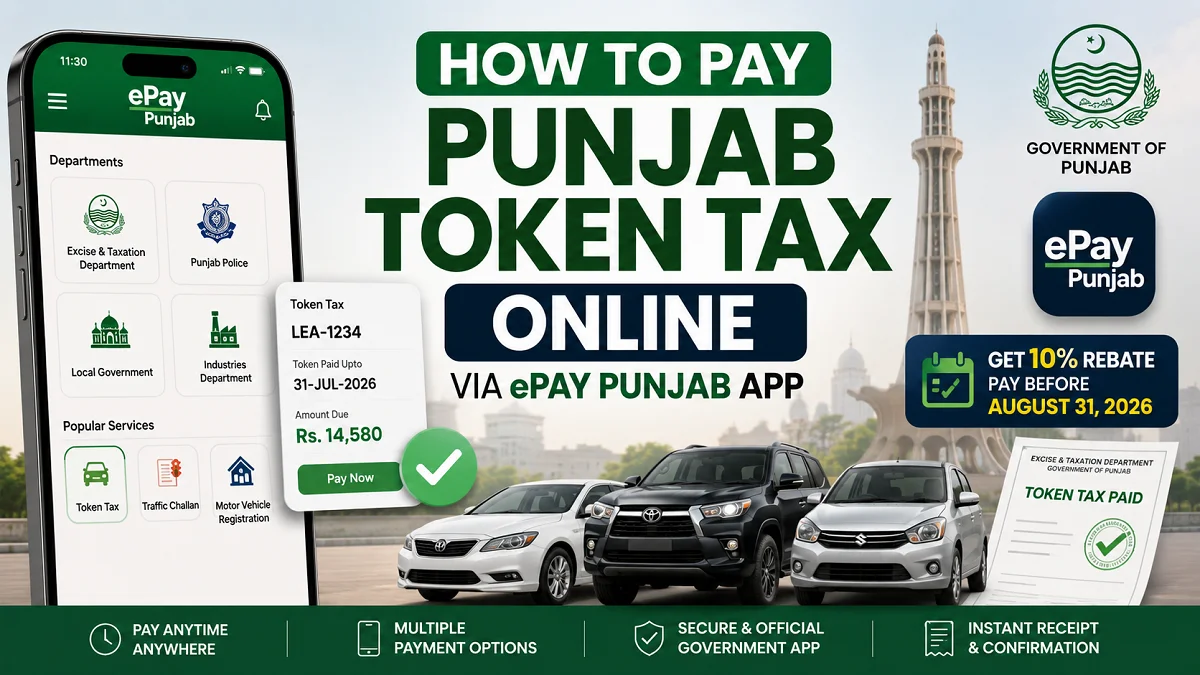
Punjab vehicle owners can now complete Punjab Token Tax Online Payment via ePay Punjab in just a few minutes without visiting an Excise and Taxation office. The Government of Punjab continues to expand digital services, making it easier for motorists to check their dues, generate a payment slip, and pay securely through multiple banking channels.
For the 2026–27 financial year, Punjab has also introduced revised token tax rates for many vehicles, particularly those with engine capacities above 1000cc. Vehicle owners who pay before the announced rebate deadline can also receive a 10% discount on eligible token tax payments.
What Is ePay Punjab?
The ePay Punjab app is the official digital payment platform developed by the Government of Punjab. It allows citizens to pay a wide range of government taxes and fees without visiting government offices.

Besides vehicle token tax, the app also supports payments for:
- Traffic challans
- Property tax
- Motor vehicle registration fees
- Professional tax
- Vehicle transfer fees
- Other government services offered through participating departments
The app connects directly with the Excise & Taxation Department’s database, ensuring that vehicle information and payable tax amounts remain up to date.
Requirements Before Punjab Token Tax Online Payment
Before starting the payment process, make sure you have:
- Your vehicle registration number.
- A smartphone with internet access.
- The latest version of the ePay Punjab app.
- Access to online banking, ATM, or a supported digital wallet if you do not plan to pay directly within the app.
- A valid email address if you want to receive payment details electronically.
How to Pay Punjab Token Tax Online via ePay Punjab
Follow the below steps for Punjab token tax online Payment via ePay Punjab App:
Step 1: Download the ePay Punjab App
Install the official ePay Punjab application from:

- Google Play Store (Android)
- Apple App Store (iPhone)
Always download the official government application to protect your personal and payment information.
Step 2: Open the Excise & Taxation Department
Launch the app.

From the home screen:
- Tap Departments.
- Select Excise & Taxation Department.
- Choose Token Tax from the available services.
You will now reach the vehicle search page.
Step 3: Enter Your Vehicle Registration Number
Type your complete vehicle registration number exactly as it appears on your registration documents.

For example:
- LEA-1234
- LEC-5678
After entering the number, tap the search button.
The system retrieves your vehicle details directly from the Excise Department database.
Step 4: Verify Your Vehicle Information
Before generating payment, carefully check that the displayed information matches your vehicle.

Typical information includes:
- Owner’s name
- Father’s name
- Vehicle make
- Model
- Vehicle color
- Registration details
- Token tax paid up to date
If any information appears incorrect, contact the Excise & Taxation Department before making payment.
Step 5: Review Your Tax Breakdown
The app provides a detailed breakdown of the payable amount.
Depending on your vehicle, you may see:
| Charge | Description |
|---|---|
| Motor Vehicle Tax | Annual token tax amount |
| Income Tax | Applicable where required |
| Professional Tax | Included for certain categories |
| Rebate | Automatic discount before deadline |
| Government Platform Fee | Small service charge |
| Total Due | Final payable amount |
Step 6: Generate Your PSID
The rebate appears automatically when your payment qualifies.

Tap Generate Challan.
The app creates a unique 17-digit PSID (Payment Slip ID).
This PSID contains:
- Your vehicle information
- Exact payable amount
- Payment reference
- Expiry date
You will also receive the PSID through email if an email address is linked.
Important: PSIDs remain valid only for a limited period. If the PSID expires before payment, generate a new one.
Payment Methods Available
Once the PSID has been created, you can pay using several methods.
| Payment Method | How It Works |
|---|---|
| Pay Now | Instant payment inside the app |
| Internet Banking | Enter PSID under GoPb Bill Payment |
| Mobile Banking | Use supported banking apps |
| ATM | Select Bill Payment > GoPb |
| Bank Branch | Present PSID to the cashier |
| JazzCash | Pay through supported wallet |
| Zindigi | Complete payment using the app |
Since the amount is linked directly to the PSID, manual entry of tax values is not required.
Step 7: Confirm Successful Payment
After payment:
- A confirmation message appears.
- A digital receipt is generated.
- Your payment status updates.
- The “Token Paid Upto” date changes after successful processing.
It is good practice to save or print the receipt for future reference.
Punjab Token Tax Rates for FY2026–27
Punjab has revised annual token tax rates for many private vehicles.
Private Vehicles
| Engine Capacity | Previous Rate | FY2026–27 Rate |
|---|---|---|
| 1000cc–2000cc | 0.2% of invoice value | 0.3% of invoice value |
| Above 2000cc | 0.3% of invoice value | 0.4% of invoice value |
Owners of higher-engine vehicles may notice a larger payable amount than last year.
Commercial Vehicle Token Tax Rates
Commercial transport operators face significant increases under the new schedule.
| Vehicle Category | Previous Tax | New Tax |
|---|---|---|
| Above 4,060 kg to 8,120 kg | Rs. 2,200 | Rs. 6,600 |
| Above 8,120 kg to 12,000 kg | Rs. 4,000 | Rs. 12,000 |
| Above 12,000 kg to 16,000 kg | Rs. 6,000 | Rs. 18,000 |
| Above 16,000 kg | Rs. 8,000 | Rs. 24,000 |
Fleet owners should verify current dues before making payment.
Also read: Govt Announced 25% Sales Tax on Hybrid Cars in Pakistan
Electric Vehicle Token Tax Concession
Punjab continues to encourage electric vehicle adoption.
Eligible electric vehicles receive a 99% concession on the token tax component for FY2026–27.
However, vehicle owners should remember that:
- Income tax may still apply.
- Advance tax may remain payable where applicable.
- Government service charges can still appear separately.
The app automatically applies the concession if the vehicle qualifies.
How the 10% Token Tax Rebate Works
Punjab is offering a 10% rebate for eligible token tax payments completed on or before August 31, 2026.
The process is fully automatic.
There is no need to:
- Enter a discount code.
- Submit a separate application.
- Visit an Excise office.
The rebate appears automatically in the payment breakdown before generating the final PSID.
Benefits of Punjab Token Tax Online Payment
Online payment offers several advantages over visiting an Excise office.
These include:
- Faster payment process.
- No waiting in long queues.
- Multiple payment options.
- Secure government payment system.
- Instant payment confirmation.
- Updated vehicle records.
- Digital payment receipts.
- Access from anywhere in Punjab.
Common Mistakes to Avoid while Punjab Token Tax Online Payment
Many payment issues occur because of small errors.
Avoid these common mistakes:
- Entering an incorrect registration number.
- Paying with an expired PSID.
- Missing the rebate deadline.
- Assuming last year’s tax amount is unchanged.
- Forgetting to save the payment receipt.
- Ignoring mismatched vehicle details before payment.
- Closing the app before payment confirmation appears.
What to Do If Punjab Token Tax Online Payment Does Not Update
Occasionally, payment confirmation may take longer than expected.
If your payment does not appear immediately:
- Keep your payment receipt.
- Wait for system synchronization.
- Check your vehicle record again after some time.
- Contact your bank if the amount was deducted but no confirmation appears.
- Contact the Punjab Excise & Taxation Department if the issue continues.
Comparison: Online Payment vs Office Visit
| Feature | ePay Punjab | Excise Office |
|---|---|---|
| Available Anytime | Yes | No |
| Queue Required | No | Yes |
| Digital Receipt | Yes | Usually |
| Multiple Payment Methods | Yes | Limited |
| Travel Required | No | Yes |
| Faster Processing | Yes | Usually Slower |
For most vehicle owners, online payment is now the quickest and most convenient option.
Practical Tips for a Smooth Punjab Token Tax Online Payment
- Use the latest version of the ePay Punjab app.
- Double-check your registration number.
- Pay before the rebate deadline.
- Save your PSID until payment is completed.
- Download your payment receipt.
- Verify the updated “Token Paid Upto” date after payment.
Frequently Asked Questions
Can I pay Punjab token tax without visiting the Excise office?
Yes. The entire process can be completed online through the ePay Punjab app or by using the generated PSID with participating banks and digital wallets.
What is a PSID?
A PSID (Payment Slip ID) is a unique payment reference generated by the ePay Punjab system. It links your vehicle, payable amount, and payment record.
How long is the PSID valid?
A PSID remains valid for a limited time. If it expires before payment, you must generate a new one.
Can I pay through my bank’s mobile app?
Yes. Most participating banks allow payment through the GoPb bill payment option after entering the PSID.
Is the 10% rebate applied automatically?
Yes. If you pay before August 31, 2026, the rebate appears automatically in the payment calculation for eligible vehicles.
Do electric vehicles pay token tax?
Eligible electric vehicles receive a 99% concession on the token tax portion, although other applicable charges may still apply.
Final Thoughts (Punjab Token Tax Online Payment)
Punjab’s digital payment system has made annual vehicle tax payments much easier than in previous years. Instead of visiting government offices, vehicle owners can now complete the entire process from their smartphones within minutes.
With revised FY2026–27 tax rates now in effect and a limited-time 10% rebate available before August 31, 2026, it is worth checking your current dues through the official ePay Punjab app rather than relying on previous payment amounts. Paying on time not only helps you avoid penalties but also keeps your vehicle records updated with the Excise & Taxation Department.
Also read: Petrol Price in Pakistan Today – Latest Rates and Updates