
Punjab Driving License Services Now Available on Dastak App
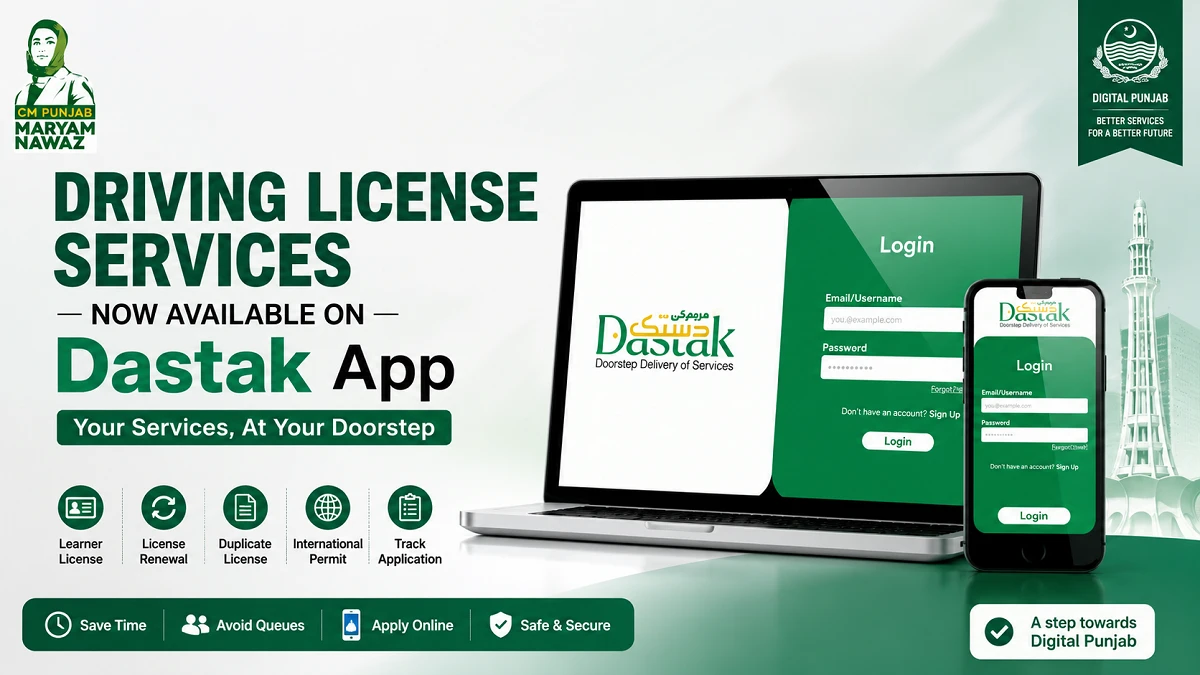
Punjab has moved its Driving License Information Management System (DLIMS) services to Dastak, the provincial government’s one-window platform for public services. Citizens can now access several driving-license services online, track applications, make payments, link old DLIMS records and, for supported services, choose doorstep assistance.
Quick answer: Punjab residents can use Dastak for services including learner driving licenses, learner license renewal, regular license renewal, duplicate licenses, duplicate international licenses and international license renewal. Existing DLIMS users can also link their old account to Dastak so previous applications and records are transferred to the new platform.
What Is the Dastak App?
Dastak – One Window for All Government Services is an official Government of Punjab platform designed to bring multiple public services into one online system.
The platform allows citizens to apply for government services through the web or mobile app. For eligible services, users can choose between Self Service and Doorstep Service.

DLIMS is now integrated into this system. The official DLIMS website states that its services have moved to Dastak and that Dastak handles processes including:
- Application submission
- Verification
- Payment
- PSID generation
- Application tracking
- Driving license card tracking
What Has Changed for Punjab Driving License Holders?
Previously, many people used DLIMS as the main online platform for driving-license services.
The current official DLIMS website now tells users:
“All DLIMS Services moved to Dastak.”
Existing users can create a Dastak account and connect their previous DLIMS account to transfer earlier applications and records automatically.
This means people should increasingly use Dastak as the main online entry point for Punjab driving-license services rather than expecting every service to remain on a separate DLIMS interface.
Punjab Driving License Services Available on Dastak
The current official Dastak service directory lists the following DLIMS services:
| Driving License Service | Available on Dastak |
|---|---|
| Learner Driving License | Yes |
| Renewal of Learner Driving License | Yes |
| Renewal of Regular License | Yes |
| Duplicate Driving License | Yes |
| Duplicate International Driving License | Yes |
| Renewal of International Driving License | Yes |
Punjab announced the DLIMS-Dastak integration in June 2026, with driving-license services being made available through the Dastak system.
1. Learner Driving License
New drivers can apply for a learner driving license through the Dastak/DLIMS system.
The official DLIMS process includes:
- Creating an account
- Filling in the application form
- Generating a PSID
- Paying the required amount
- Receiving payment confirmation
After successful processing and payment, the digital learner driving license becomes available through the applicant’s account.
Applicants should remember that getting a learner license does not remove the requirements for later driving tests when applying for a regular license.
2. Learner License Renewal
Dastak also lists Renewal of Learner Driving License as a separate DLIMS service.
This can help applicants whose learner permit needs renewal before they complete the regular license process.
Requirements and charges can vary, so applicants should check the current service page before submitting the application.
3. Regular Driving License Renewal
People who already hold a regular Punjab driving license can use Dastak for regular license renewal.
Depending on the applicant’s age and license category, additional documents such as a medical certificate may be required.
For example, Dastak’s current driving-license service information states that a medical certificate can be required for applicants above 50 years of age or for LTV-related cases.
4. Duplicate Driving License
If your license has been lost, damaged or otherwise needs replacement, Dastak currently offers a Duplicate Driving License service.
The service may offer different processing modes depending on availability.
Applicants should carefully check the document requirements, fees and delivery method shown for their selected service before completing payment.
5. International Driving License Services
The current Dastak service directory specifically lists:
- Duplicate International Driving License
- Renewal International Driving License
When the Dastak-DLIMS integration was announced in June 2026, Punjab authorities also said international driving license-related applications would be available through the integrated system.
However, users should select the exact international license service displayed in their Dastak account rather than assuming that every new international permit application follows the same digital procedure.
Self Service vs Doorstep Service on Dastak
One of the most important things to understand is that Dastak does not mean every driving-license service is automatically completed entirely from home.
Dastak provides two service modes where supported.
| Feature | Self Service | Doorstep Service |
|---|---|---|
| Start application online | Yes | Yes |
| Upload/provide required information | Yes | Yes |
| Facilitator assistance | No | Yes |
| Document pickup/delivery | Normally no | Yes, where available |
| Final document collection | Relevant office where required | Delivered under supported service |
| Extra convenience | Standard | Higher |
The official Dastak portal describes Self Service as applying online and collecting final documents from the relevant office in person. Doorstep Service uses a facilitator to collect and deliver documents at the applicant’s home.
Doorstep delivery services are currently promoted through the Dastak Citizen App.
Does Dastak Mean No Office Visit Is Ever Required?
No.
Dastak reduces unnecessary visits, but driving-license laws and testing requirements still apply.
For example, a person applying for a regular license may still need to complete:
- e-Sign or road-sign testing
- Practical driving test
- Biometric or identity verification
- Medical requirements where applicable
Using an online application platform does not remove these legal requirements.
Therefore, statements such as “all driving licenses can now be completed without visiting an office” are too broad.
How to Create a Dastak Account
The current Dastak registration page asks users for details including:
- Mobile number
- CNIC number
- Email address
- Password
Users then complete the registration process and access their dashboard.
The Dastak account provides access to multiple government services through one login.
How to Link Your Old DLIMS Account With Dastak
This is particularly important for people who have previously used DLIMS.
After creating a Dastak account, existing DLIMS users can connect their old account.
The official Dastak registration process says this can help users:
- Bring existing DLIMS applications into Dastak
- Auto-fill registration information
- Access previous applications
The official DLIMS website also confirms that users can link their DLIMS account with Dastak to transfer previous applications and records automatically.
If Your Old DLIMS Records Are Missing
First make sure your DLIMS account has been properly linked to Dastak.
Use the same correct identity details wherever required.
If records still do not appear, use the official DLIMS/Dastak support channels rather than creating multiple duplicate accounts or applications.
How to Apply for Punjab Driving License Services Through Dastak App
The application process for Punjab driving license is designed to be simple and user-friendly.
Step 1: Download the Dastak App
Install the Dastak Citizen App from the official Google Play Store or Apple App Store.
Always verify that you are downloading the official application.
Step 2: Create Your Account
Register using your CNIC and other required personal information.
Complete the verification process and secure your account credentials.
Step 3: Link Existing DLIMS Records
Users who previously used DLIMS should link their records to access existing license information and application history.
This step can help ensure a smooth transition to the new platform.
Step 4: Choose the Required Service
Open the DLIMS section and choose the exact service required.
For example:
- Learner License
- Learner Renewal
- Regular License Renewal
- Duplicate License
- International License Renewal
Step 5: Choose the Service Mode
Where available, select:
Self Service
or
Doorstep Service
The platform will show the available options for that specific service.
Step 6: Fill In the Application
Enter all personal and license information carefully.
Your details should match your CNIC and official records.
Step 7: Upload or Provide Required Documents
Document requirements depend on the service.
For driving-license applications, documents may include items such as:
- CNIC
- Photograph
- Medical certificate where applicable
- Existing license details
- Other service-specific documents
The DLIMS website advises applicants to upload clear documents in accepted formats such as PDF or JPEG.
Step 8: Generate the PSID
After the application is submitted, the system can generate a PSID for payment processing.
Step 9: Pay Applicable Fees
Submit the required government fees through the approved payment channels available within the platform.
Always save payment receipts for future reference.
Step 10: Track Application Status
After submission, users can monitor progress through the application dashboard and receive updates as processing continues.
What Is a PSID?
PSID is the payment reference generated for a government transaction.
DLIMS states that Dastak processing includes secure payment through the ePay system and generation of a Payment Slip Identification number for payment processing.
Applicants should make sure payment has been successfully confirmed before assuming the application is complete.
Punjab Driving License Fees on Dastak
There is no single fee for every driving-license service.
The amount can depend on:
- License category
- Type of service
- Renewal period
- Duplicate application
- International license service
- Additional platform or doorstep charges where applicable
Dastak itself displays the charges applicable to the selected service, while DLIMS maintains the official license fee structure.
For this reason, users should avoid relying on old screenshots or social-media posts showing a single fixed amount.
Can You Check Your Driving License Online?
Yes.
The current Dastak platform provides tools to:
- Generate/access an e-License
- Track a license
- Verify a license
The verification and e-License tools cover regular and international licenses on the Dastak platform.
This can help license holders confirm records without visiting a traffic office simply to check status.
Can You Download a Learner License Online?
Yes.
The official DLIMS information states that after completing the learner application and successful payment, the digital copy of the learner driving license is available in the user’s login account.
Applicants should save a copy after successful processing.
Documents Required for Driving License Services
There is no single document list that applies to every service.
For example, a current Dastak driving-license service page lists documents such as:
- Applicant’s CNIC
- Medical certificate where required
- Live photograph with a white background
Different requirements can apply for learner licenses, renewals, duplicates and international license services.
Always check the Required Documents section for the exact service before applying.
Medical Certificate Requirement
A medical certificate is not required in exactly the same situation for every applicant.
Current Dastak service information notes a medical certificate requirement for certain applicants, including cases involving age above 50 years or LTV.
Applicants should follow the document requirements displayed for their individual license category.
The official DLIMS website also provides a downloadable medical form for driving-license applications.
Can You Apply Through the Dastak Website Instead of the App?
Yes, many Dastak services are available through the web platform.
The official Dastak website states that DLIMS services have migrated to the Dastak web platform, allowing users to apply for license services, track applications and access previous records.
However, Doorstep Delivery Service is currently promoted through the Dastak Citizen App, so app use may be necessary when choosing that mode.
What Is Dastak Doorstep Service?
Doorstep Service is designed for users who want additional assistance.
For supported services, a trained facilitator can handle document collection and delivery at the applicant’s address.
This can be useful for people who:
- Have difficulty visiting government offices
- Need assistance with the process
- Prefer document pickup and delivery
However, doorstep service should not be interpreted as a way to bypass a mandatory driving test or legal eligibility requirement.
What Is Dastak Self Service?
Self Service is the standard online application route.
According to Dastak, users apply online but may need to collect final documents from the relevant office in person.
Self Service may therefore reduce paperwork and application visits without necessarily removing every physical step.
Can a New Driver Get a Regular License Completely Online?
Applicants should not assume so.
The digital system can manage forms, verification, payment and tracking, but the regular driving-license process still includes the applicable testing requirements.
Punjab’s licensing process can involve an e-Sign/road-sign test and practical road test.
Dastak is the service platform; it does not remove the legal requirement to demonstrate driving ability.
Is Dastak Available Across Punjab?
Dastak is the Government of Punjab’s one-window public-services platform and DLIMS services have been migrated into it for Punjab users.
Actual doorstep-service availability and processing arrangements can still depend on the service and location selected in the system.
Users should check what options appear after choosing their district and required service.
Dastak vs Old DLIMS System
| Feature | Older DLIMS Setup | Current Dastak/DLIMS Setup |
|---|---|---|
| Main online access | DLIMS | Dastak |
| Create applications | Yes | Yes |
| Previous records | DLIMS account | Can be linked into Dastak |
| Application tracking | Available | Available through Dastak |
| PSID/payment | DLIMS/ePay | Integrated into Dastak processing |
| Doorstep option | Limited/not central | Available for supported Dastak services |
| Multiple govt services | No | Yes, through one platform |
The biggest change is therefore not that DLIMS has disappeared completely. Instead, DLIMS now operates as an integrated part of the Dastak ecosystem.
Common Problems and How to Avoid Them
Old DLIMS Records Do Not Appear
Make sure you have connected your previous DLIMS account with Dastak.
Incorrect CNIC Details
Enter the same identity information that appears in official records.
Blurry Documents
Upload clear scans or photographs.
Wrong Service Selected
Choose the exact service you require, such as regular renewal versus duplicate license.
Payment Not Confirmed
Keep the PSID and verify that the payment has been processed successfully.
Assuming Everything Is Doorstep
Check whether you selected Self Service or Doorstep Service and read the instructions for your particular application.
Dastak and DLIMS Official Support
For driving license-related queries, the official DLIMS website currently lists:
Emergency: 15
Phone: 042-99202892
Email: info@dlims.punjab.gov.pk DLIMS Punjab
The official Dastak platform lists:
Helpline: 1202
Email: support@dastak.punjab.gov.pk Dastak
Use official support if an application, payment or account-linking problem cannot be resolved through the dashboard.
Frequently Asked Questions
Have all Punjab DLIMS services moved to Dastak?
The official DLIMS website currently states that all DLIMS services have moved to Dastak and directs users to continue through the Dastak platform.
Can I apply for a learner driving license through Dastak?
Yes. Learner Driving License is currently listed among Dastak’s DLIMS services.
Can I renew my learner driving license through Dastak?
Yes. Renewal of Learner Driving License appears as a separate service in the current Dastak DLIMS service list.
Can I renew my regular driving license through Dastak?
Yes. Renewal of Regular License is currently listed as an available DLIMS service on Dastak.
Can I apply for a duplicate driving license?
Yes. Duplicate Driving License is listed among the current Dastak services.
Are international driving license services available?
Yes. The current Dastak service directory specifically lists Duplicate International Driving License and Renewal International Driving License.
Can I link my old DLIMS account to Dastak?
Yes. Dastak and DLIMS both state that existing DLIMS users can connect their account to bring previous applications and records into Dastak.
Does Dastak mean I never have to visit a licensing centre?
No. Self Service can still require final document collection from the relevant office, and mandatory driving tests or verification requirements remain applicable where required.
What is the difference between Self Service and Doorstep Service?
Self Service lets you apply online and complete the normal service process, with office collection where required. Doorstep Service uses a facilitator to collect and deliver documents at home for supported services.
Can I track my license application online?
Yes. Application tracking is one of the functions offered through the Dastak/DLIMS system.
Can I verify or download an e-License?
The Dastak website currently provides tools for e-License generation, license tracking and license verification, including regular and international license options.
Also read: Punjab Driving Licence New Rules 2026: New Test and Payment Deadlines
Conclusion (Punjab Driving License Services on Dastak 2026)
The move of Punjab driving license services to Dastak is an important change for license holders in 2026.
The platform now provides access to learner license services, license renewals, duplicate licenses, international license services, application tracking, payments and existing DLIMS records through one government system.
Existing DLIMS users should link their old account to Dastak so previous applications and records can be transferred. Applicants should also understand the difference between Self Service and Doorstep Service, because an online application does not automatically mean that every license procedure can be completed without an office visit or driving test.
For the latest documents, fees and processing requirements, users should rely on the service information displayed on the official Dastak and DLIMS platforms.
Also read: