
Smart TV Buying Guide: How to Choose the Best TV?
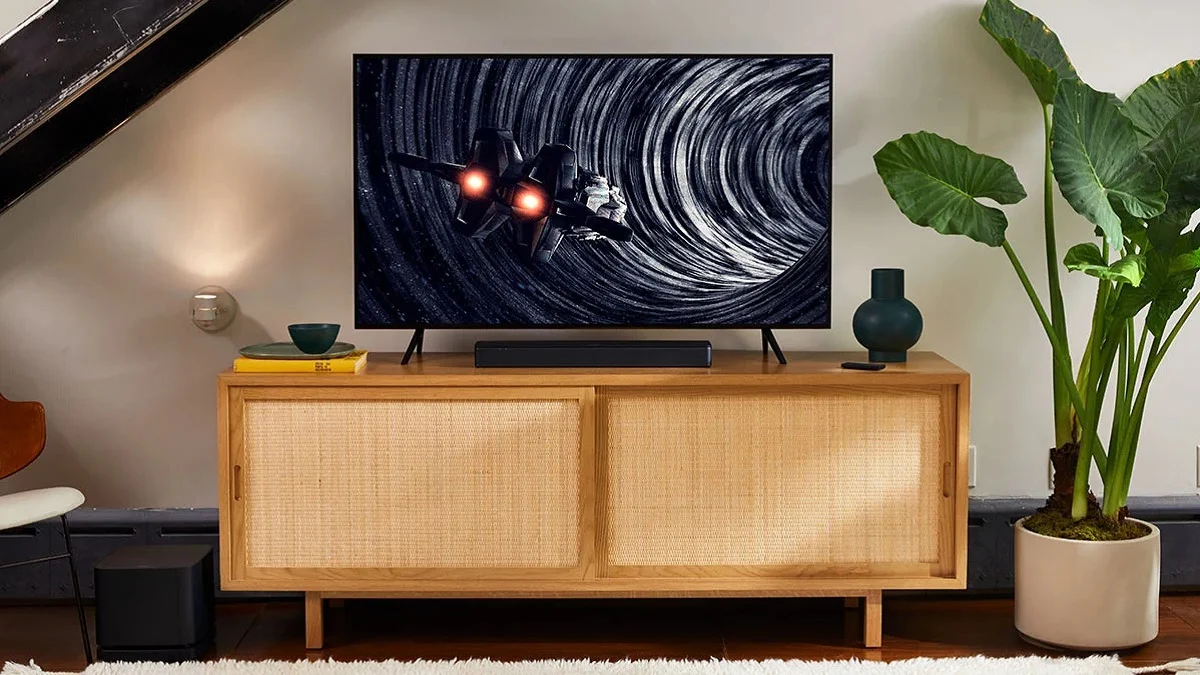
Smart TV Buying Guide: Smart televisions have transformed home entertainment. With rapid technological progress and a growing range of advanced features, choosing the right smart TV can feel overwhelming. We created this comprehensive guide to give you clear direction, practical insight, and expert-level advice. Our goal is to help you select a smart TV that offers exceptional value, premium performance, and long-term satisfaction.
This guide covers every aspect that matters—from display technologies and audio systems to operating platforms, connectivity options, future-proof features, installation decisions, and price comparisons. We structured this article to deliver more depth, more clarity, and more practical benefits than any competing resource.
What Is a Smart TV?
A smart TV connects to the internet and allows access to streaming services, online content, and built-in apps for entertainment, gaming, and productivity. Unlike older televisions that only displayed broadcast or external media, smart TVs function as complete digital hubs.

They support modern display innovations, advanced processors, and intelligent software ecosystems. Smart TVs are now essential for modern homes because they combine convenience, versatility, and high-quality viewing.
Why Choosing the Right Smart TV Matters
A smart TV is a long-term investment. The right decision enhances your entertainment experience and ensures compatibility with future technologies. A poorly chosen model can cause dissatisfaction due to limited apps, weak sound, lagging performance, or low-quality visuals.
We guide you through every important factor so you can make a confident and informed purchase.
Key Factors to Consider When Buying a Smart TV
1. Budget Planning
Budget is the foundation of the smart TV buying process. Prices vary across brands, features, panel types, and screen sizes. Instead of overspending or selecting underpowered models, define a realistic budget.
Smart TV Price Segments
| Category | Price Range | What You Typically Get |
|---|---|---|
| Entry-Level | Affordable | Basic smart features, HD or FHD resolution |
| Mid-Range | Moderate | 4K resolution, improved color, faster processors |
| Premium | Higher | OLED/QLED displays, advanced audio, AI features |
| Flagship | Highest | 8K resolution, HDR10+, top-tier performance |
A clear budget shortens the selection process and ensures maximum value.
2. Choosing the Right Screen Size
Screen size significantly influences your viewing experience. It must match your room’s size, your viewing distance, and your usage patterns.
How to Select the Ideal Screen Size
Measure the distance between your seating position and the TV’s wall placement. Divide the distance in inches by three. The number you get is your ideal TV size.
Recommended Screen Size and Viewing Distance
| Screen Size | Recommended Distance |
|---|---|
| 42″–43″ | 1.5m – 1.7m |
| 48″–50″ | 1.8m – 2.0m |
| 55″–65″ | 2.3m – 2.6m |
| 75″–77″ | 3.0m – 3.05m |
Practical Tips for Screen Size
- Avoid assuming bigger is always better.
- Consider wall mount vs. table stand.
- Ensure the screen fits aesthetically within your room layout.
3. Understanding Screen Types
Modern televisions use various display technologies. Each type has strengths that suit different viewing preferences.
LED (Light Emitting Diode)
- Most common and budget-friendly.
- Uses a backlight to illuminate the screen.
- Good brightness and energy efficiency.
QLED (Quantum Dot Light Emitting Diode)
- Enhances brightness with quantum dot layers.
- Offers superior color vibrancy.
- Great for bright rooms.
OLED (Organic Light Emitting Diode)
- Each pixel emits its own light.
- Offers infinite contrast and deep blacks.
- Ideal for cinema-style viewing.
Comparison Table: LED vs. QLED vs. OLED
| Feature | LED | QLED | OLED |
|---|---|---|---|
| Black Levels | Average | Better | Excellent |
| Brightness | Good | Very High | Moderate |
| Color Accuracy | Good | Excellent | Exceptional |
| Price Range | Lowest | Mid to High | Highest |
| Screen Burn-In Risk | No | No | Low (rare) |
4. Screen Resolution
Resolution determines clarity and detail. Higher resolution ensures sharper images.
Available Resolutions
- HD (720p) – Basic clarity
- Full HD (1080p) – Better detail, suitable for smaller screens
- 4K (2160p) – Best value; highly recommended
- 8K – Ultra-premium; limited content available
Why 4K Is the Sweet Spot
4K offers the best balance between performance, price, and content availability. Most platforms stream in 4K, making it the ideal choice for modern entertainment.
5. HDR (High Dynamic Range) Support
HDR significantly improves picture quality by enhancing contrast and color.
Common HDR Formats
- HDR10 – Basic HDR standard
- HDR10+ – Improved dynamic metadata for better brightness
- Dolby Vision – Premium HDR with superior tone mapping
Choose a TV with HDR10+ or Dolby Vision for maximum performance.
6. Sound Quality and Audio Technologies
Great visuals need great sound. Many slim TVs compromise audio due to limited speaker space.
Key Audio Features to Look For
- Dolby Audio for clarity
- Dolby Atmos for 3D-like immersive audio
- DTS:X for enhanced surround sound
Practical Sound Tips
- Choose models with front-firing speakers if possible.
- Consider soundbars for cinematic quality.
- Ensure compatibility with ARC or eARC ports.
7. Smart TV Operating Systems
The operating system affects user experience, speed, and app compatibility.
Common OS Platforms
| OS | Strengths |
|---|---|
| Android TV | Largest app library, easy to use |
| Google TV | Modern UI, personalized content |
| Tizen (Samsung) | Smooth navigation, good app support |
| webOS (LG) | Clean interface, excellent multitasking |
| Roku TV | Simple layout, affordable |
Key OS Features to Consider
- App availability
- Voice assistant support
- Regular software updates
- Performance stability
8. Processor and Performance
A fast processor ensures smooth navigation, quick app launches, and lag-free streaming.
What to Look For
- Quad-core or higher processors
- Minimum 2GB RAM
- Enhanced picture processors (AI processors in premium TVs)
Smooth performance ensures long-term satisfaction.
9. Connectivity and Ports
Connectivity plays a vital role in convenience.
Important Connectivity Features
- Wi-Fi (Dual-band preferred)
- Bluetooth
- HDMI 2.1 (for gaming and 4K @ 120Hz)
- USB ports
- Ethernet port
- Optical audio output
HDMI Version Comparison
| HDMI Version | Key Features |
|---|---|
| HDMI 1.4 | 1080p video |
| HDMI 2.0 | 4K @ 60Hz |
| HDMI 2.1 | 4K @ 120Hz, VRR, eARC |
10. Gaming Features
Gamers need specific TV capabilities for responsive and smooth gameplay.
Essential Gaming Features
- Low input lag
- Variable Refresh Rate (VRR)
- Auto Low Latency Mode (ALLM)
- HDMI 2.1 compatibility
These features ensure seamless gaming with consoles like PS5 and Xbox Series X.
11. Build Quality and Design
TVs now serve as both entertainment devices and décor elements.
Design Factors to Consider
- Slim bezels
- Premium metal build
- Stable stands
- Cable management options
Better design enhances both viewing and room aesthetics.
12. Brand Reputation and After-Sales Service
A trustworthy brand provides better build, more updates, and reliable warranty support.
What to Evaluate
- Warranty details
- Service center availability
- Customer reviews
- Software update frequency
Reliable after-sales support adds major long-term value.
13. Energy Efficiency
Energy-efficient TVs save money over time and reduce environmental impact.
Tips for Energy-Efficient Viewing
- Look for Energy Star certifications
- Check brightness settings
- Prefer OLED or LED for lower consumption
14. Future-Proof Features
As technology evolves, investing in future-ready features protects your purchase.
Future-Proofing Checklist
- HDMI 2.1 support
- Advanced HDR (Dolby Vision)
- Fast processor
- Latest OS version
- AI picture enhancement
- 5GHz Wi-Fi
15. Installation Options
Smart TVs offer multiple installation paths.
Wall Mount vs. Table Stand
| Option | Pros | Cons |
|---|---|---|
| Wall Mount | Saves space, modern look | Requires professional installation |
| Table Stand | Easy setup, flexible movement | Occupies furniture space |
Choose based on your room layout and convenience.
16. Additional Features Worth Considering
Modern TVs offer extra features that enhance convenience and viewing quality.
Useful Extra Features
- Screen mirroring (Miracast, Chromecast)
- Parental controls
- Multi-view options
- Auto picture calibration
- Ambient mode
- Hands-free voice control
These features add versatility to your TV experience.
Comparison: Entry-Level vs. Mid-Range vs. Premium Smart TVs
| Feature | Entry-Level | Mid-Range | Premium |
|---|---|---|---|
| Resolution | HD/FHD | 4K | 4K/8K |
| Display Tech | LED | LED/QLED | OLED/QLED |
| HDR Support | Basic | HDR10 | Dolby Vision, HDR10+ |
| Audio | Standard | Enhanced | Dolby Atmos |
| Gaming | Limited | Moderate | Advanced |
| Price | Low | Medium | High |
Where to Buy Smart TVs in Pakistan
You can find new and used smart televisions across many online platforms. Ensure that the seller is reliable and the product includes proper warranty details. Compare prices across various listings to secure the best deal.
Expert Buying Tips for Maximum Value
- Compare multiple models before finalizing.
- Prefer 4K resolution for long-term satisfaction.
- Choose OLED for movies and QLED for bright rooms.
- Check OS updates and storage capacity.
- Avoid outdated 720p models for large screens.
- Ensure compatibility with your sound system.
Also read: 10 Money Rules to live a richer life
Final Verdict
Smart TVs enhance your home entertainment experience through immersive visuals, smooth performance, and smart connectivity. The ideal TV combines the right screen size, advanced display technology, strong audio performance, and reliable features that match your lifestyle.
By carefully evaluating the factors in this guide, you can make a confident purchase that delivers long-term value and exceptional viewing quality.
Also read: Best LED TVs in Pakistan With Prices and New Features