
How to Check Loans and Bills Linked to Your Iqama in KSA?
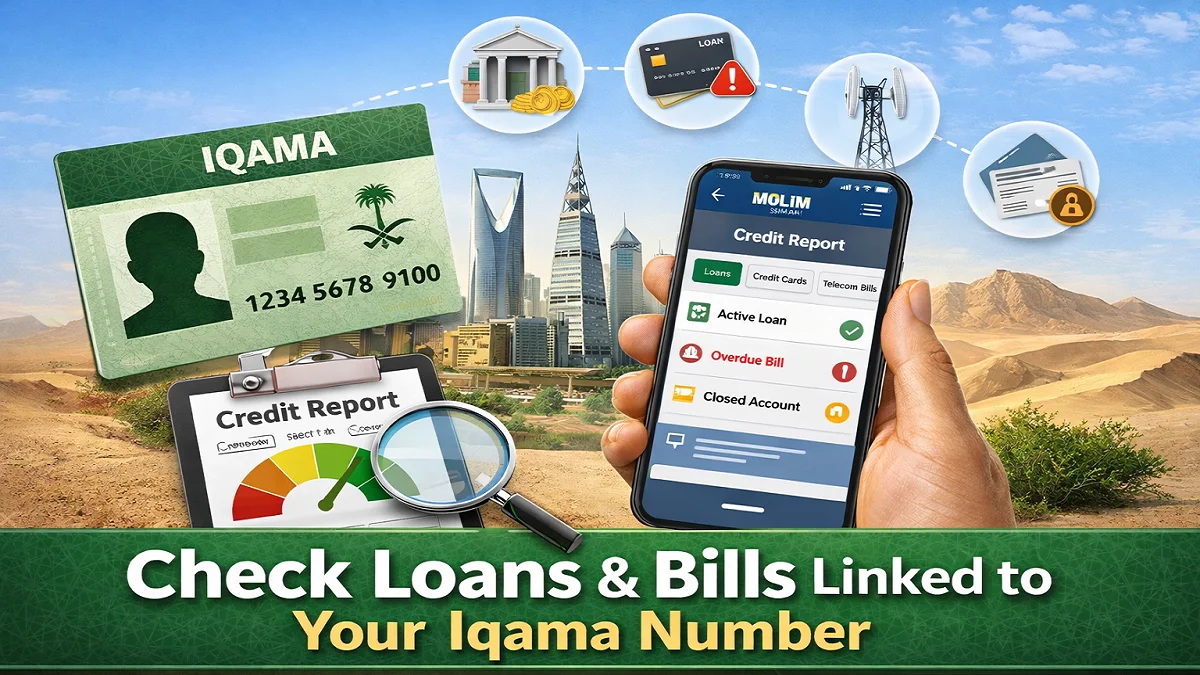
If you want to check loans and bills linked to your Iqama number, the most reliable method is to access your personal credit record through SIMAH’s MOLIM service. It can show financing, credit cards, telecom obligations, repayment history, credit inquiries, and other credit-related records connected to your identity in Saudi Arabia.
For expats in Saudi Arabia, this is not just about curiosity. It is a practical way to detect unpaid telecom bills, forgotten financing, old liabilities, or suspicious accounts before they create problems with new loans, contracts, or financial approvals.
To check loans and bills linked to your Iqama number, download the official MOLIM app by SIMAH, register, complete identity verification, and open your personal credit report. There you can review financing, credit cards, telecom records, payment status, credit inquiries, and possible dispute options.
What this check actually shows?
Many people search this topic because they want to know whether “anything is registered on my Iqama.” In practice, what you are usually checking is your credit record, not a general government list of everything tied to your residency ID.

Through SIMAH’s consumer credit reporting services, you may see credit-related obligations such as:
- Personal financing or loans
- Credit cards
- Mortgages and other financing products
- Hire purchase or installment arrangements
- Payment track record
- Credit score and credit-related insights in MOLIM
- Previous inquiries made about your credit profile
- Some service-provider obligations that are reported into the Saudi credit ecosystem, such as telecom-related dues where applicable
This matters because an unpaid loans and bills linked to your iqama number you forgot about can affect approvals later, especially when you apply for financing, postpaid telecom services, or other products that depend on your credit profile.
What is SIMAH and why expats use it?
SIMAH is Saudi Arabia’s licensed credit information company operating under the supervision and regulation of the Saudi Central Bank framework. Its role is to collect, maintain, and provide credit information under the applicable credit information system.
For expats, SIMAH is useful because it offers a more complete view of your credit footprint inside Saudi Arabia than checking with one bank or one telecom company individually. Instead of contacting multiple providers one by one, you can start with your SIMAH credit record and then investigate specific entries if needed.
Step-by-step: How to check loans and bills linked to your Iqama number
Here is step-by-step guide to check loans and bills linked to your iqama number:
Step 1: Download the official MOLIM app
In order to check the loans and bills linked to your iqama number, install MOLIM from the official app store for your device. The app is listed by SIMAH and is described as a personal credit report and credit score app. Google Play shows it was updated on February 20, 2026, which is helpful if you want to confirm you are using the current app listing.
Step 2: Register for your account
Open the app and create an account using your personal details. As an expat, make sure the information matches your valid records exactly, especially your Iqama details and mobile number used for identity verification.
Step 3: Complete identity verification
Follow the verification process shown in the app. If the app routes you through an official identity confirmation flow, complete it carefully using the correct registered information. Because identity checks and authentication flows can change over time, always follow the live in-app instructions rather than screenshots from old tutorials. The official privacy notice also confirms MOLIM is used to access personal data and manage disputes.
Step 4: Open your personal credit report
After login, access your personal credit report or related credit products section. There you can review the loans and bills linked to your iqama available in your file, including the type of product, provider, status, and history. SIMAH describes MOLIM as a service that gives individuals official credit reports and scores to understand their personal credit standing.
Step 5: Review each item carefully
Do not stop at “active” or “closed.” Check the details for each entry:
- Provider name
- Product type
- Outstanding amount, if shown
- Payment history
- Status
- Dates
- Whether the entry looks familiar
- Whether there are repeated inquiries or records you do not recognize
This is the step many users rush through, but it is where you actually discover problems.
Step 6: Download or save the report if needed
SIMAH’s privacy notice states that personal data can be accessed and downloaded through MOLIM. Saving a copy is useful if you need to compare later, speak with a bank, or file a dispute.
What statuses you may see in your report?
Different products may appear with different wording, but these are the common meanings:
| Status | What it usually means | What you should do |
|---|---|---|
| Active | The account or financing is still open | Check balance, due dates, and payment history |
| Closed / Settled | The account has been completed or closed | Confirm it is correctly marked and no amount remains |
| Overdue / Delinquent | Payments are late | Contact the provider quickly and ask for exact dues |
| Default / Negative information | Serious payment problem or unresolved issue | Resolve urgently because it may affect future approvals |
| Inquiry listed | A bank or provider checked your credit | Confirm whether you applied for something at that time |
What to do if you find some loans or bills you do not recognize
If you discover an unfamiliar loans or bills, do not ignore it and do not assume it will disappear on its own.
1. Check the entry details first
Confirm:
- Provider name
- Product type
- Date opened
- Last update date
- Amount or status
- Whether the mobile number or timing matches anything you remember
Sometimes the issue is not fraud. It may be an old contract, an automatic renewal, or a financed product you forgot.
2. Contact the reporting institution
Ask for:
- Account or contract number
- Full statement
- Opening date
- Branch or channel used
- Current dues
- Closure procedure, if applicable
3. Raise a dispute through MOLIM if the information is wrong
SIMAH’s privacy notice states that you can log in to MOLIM, go to support, raise a dispute, explain why the information is inaccurate or incomplete, and attach supporting documents.
4. Keep evidence
Save screenshots, downloaded reports, emails, payment slips, closure letters, and complaint references.
5. Follow up until the entry is updated
Do not stop after submitting a complaint. Review the updated report later to confirm the correction has actually appeared.
FAQ’s About Loans and Bills Linked to Your Iqama Number
Is SIMAH the official place to check loans linked to my Iqama?
It is the main official credit information route for checking your personal credit record in Saudi Arabia, including financing and other credit-related records reported into the system.
Can I check telecom bills linked to my Iqama through SIMAH?
You may see credit-related service obligations reported into the Saudi credit system, which can include telecom-related records where applicable. For exact current bill details, you may still need to check directly with the telecom provider as well.
Is one free SIMAH report available?
A free report is available in certain cases under the regulations, including first-time request and some dispute or fraud-related situations. Current product access and fees should be verified in MOLIM because service packaging can change.
Can I fix wrong information in my report?
Yes. SIMAH’s privacy notice says users can raise a dispute through MOLIM, explain the issue, and attach supporting documents.
How long can negative information stay on my report?
Under SIMAH’s implementing regulations, negative information generally should not remain for more than five years from debt or dispute settlement date, with some exceptions.
Do I need to visit a branch?
In many cases, no. MOLIM is designed to let individuals access reports and related services digitally. If a provider-specific issue needs deeper verification, that provider may ask you for extra steps.
Does checking my own report hurt my credit score?
The official sources reviewed here describe access to your report and score, but they do not state that your own access harms your score. What usually matters more in practice is the overall credit behavior shown in the report. For score-related concerns, rely on SIMAH’s current in-app guidance and official support channels.
Final Thoughts (Loans and Bills Linked to Your Iqama)
For expats in Saudi Arabia, the safest way to check loans and bills linked to your Iqama number is to review your SIMAH credit record through MOLIM. It gives you a practical starting point to identify active financing, overdue amounts, old service-related liabilities, and suspicious records before they become a bigger problem.
The smartest approach is simple: check early, review carefully, save your report, and act fast if something looks wrong. That one habit can protect your financial profile, reduce unpleasant surprises, and help you stay ready for future applications in Saudi Arabia.
Also read: Important Things to Do Before Final Exit from Saudi Arabia